
You check your Google Analytics dashboard and there it is: utm_source=chatgpt.
Maybe you saw just one or two sessions at first. Then more. Now you’re curious (or maybe slightly concerned) about what this traffic actually means.
Here’s what’s happening: people are clicking links from ChatGPT conversations and landing on your website. And if you’re seeing this parameter in your analytics, congratulations! ChatGPT is recommending your content to users.
But let’s dig deeper. What exactly does this mean? Should you care? And more importantly, how can you track and optimize for this new traffic source?
What Are UTM Parameters?
Before we talk specifically about ChatGPT, let’s cover the basics.
UTM parameters are tags you add to URLs to track where your traffic comes from. They help you understand which marketing channels drive visitors to your site.
A URL with UTM parameters looks like this:
yourwebsite.com/article?utm_source=chatgpt&utm_medium=ai&utm_campaign=spring2025
There are five standard UTM parameters:
- utm_source: Identifies where the traffic originates (Google, newsletter, ChatGPT)
- utm_medium: Shows the marketing medium (email, social, referral, AI)
- utm_campaign: Tracks specific campaigns (spring_sale, product_launch)
- utm_term: Identifies paid search keywords (optional)
- utm_content: Differentiates similar content or links (optional)
Think of UTM parameters as breadcrumbs that tell you exactly how someone found your website. Without them, all you see is a visitor. With them, you know they clicked a link from ChatGPT while researching your product or industry.
Why You’re Seeing utm_source=chatgpt in Your Analytics
When you spot utm_source=chatgpt in your analytics, it means ChatGPT included a link to your website in its response—and that link contained UTM parameters.
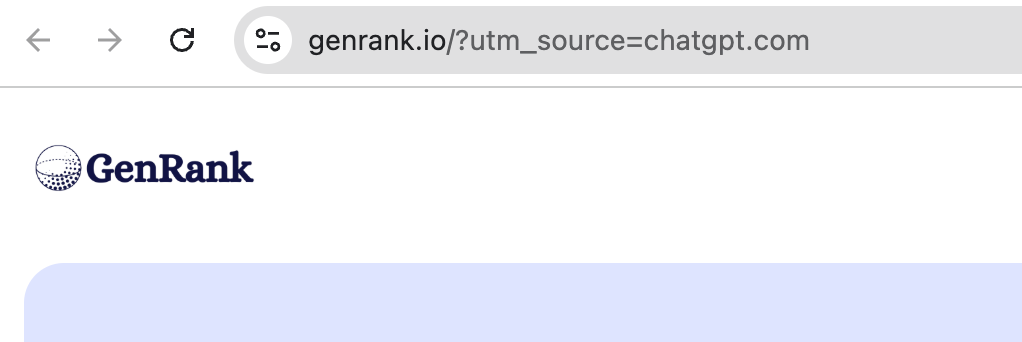
Here’s how it typically happens:
- ChatGPT uses web search functionality. When someone asks ChatGPT a question that requires current information, it searches the web and includes relevant links in its response. If your content is authoritative and relevant, ChatGPT might cite your website.
- The links include tracking parameters. When ChatGPT generates these links, it often automatically appends utm_source=chatgpt. This way, you can see in your analytics that the traffic came from ChatGPT rather than a generic referral.
- Users click through to your site. When someone finds your link helpful and clicks it, they land on your website with those UTM parameters attached.
This is different from traditional SEO. In traditional search, you optimize to rank high on Google’s results page. With Generative Engine Optimization (or GEO optimization), you’re optimizing to get cited and recommended by AI platforms like ChatGPT.
The appearance of utm_source=chatgpt signals that your content is citation-worthy in AI-generated responses. That’s a big deal.
How ChatGPT Drives Traffic to Websites
ChatGPT drives traffic differently than Google or social media. Understanding this difference helps you optimize for it.
Conversational discovery
People don’t type keywords into ChatGPT. They ask full questions: “What’s the best project management software for a remote team with tight deadlines?”
This conversational approach means ChatGPT looks for comprehensive, helpful content that answers complex questions.
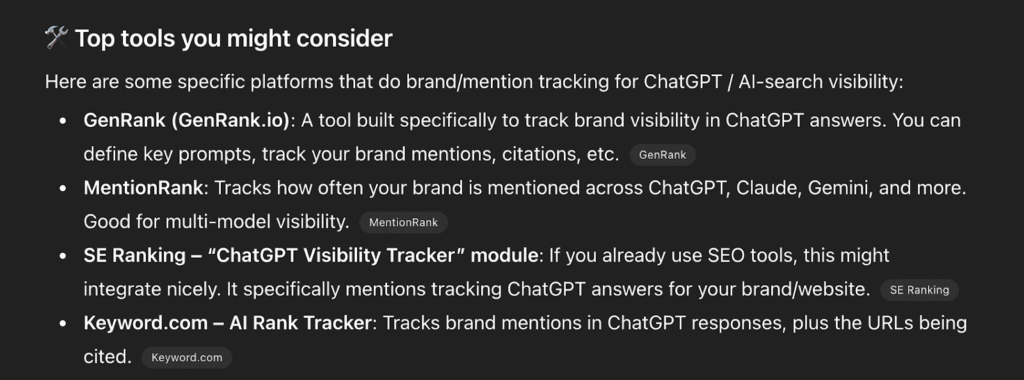
Citation-based recommendations
When ChatGPT includes your link, it doesn’t show a list of 10 blue links like Google. It’s integrating your content into a synthesized answer. Your link appears as a source citation, which carries more weight than appearing at position #7 in search results.
Context-specific traffic
The visitors arriving via utm_source=chatgpt are often more qualified. They’ve already received an AI-curated answer that specifically mentions your content. They’re clicking because ChatGPT positioned you as a relevant, authoritative source for their exact question.
How to Track This Traffic Properly
Seeing utm_source=chatgpt in your analytics is just the beginning. To truly understand and optimize this traffic, you need a systematic tracking approach.
1. Set up custom reports in Google Analytic
Create a custom report specifically for AI-driven traffic:
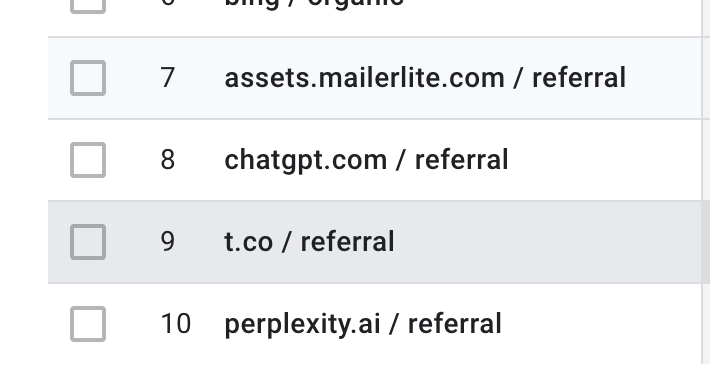
- Navigate to “Reports” in GA4
- Create a new report focusing on “Source/Medium”
- Add a filter for utm_source containing “chatgpt”
- Track metrics like session duration, bounce rate, and conversions
This helps you compare ChatGPT traffic against other sources. Is it more engaged? Do these visitors convert better?
2. Monitor which content gets cited
Not all your content will appear in ChatGPT responses. Pay attention to which pages receive utm_source=chatgpt traffic. These pages are your citation winners.
Look for patterns:
- Are they comprehensive guides rather than short posts?
- Do they include data, examples, or expert insights?
- Are they structured with clear headings and lists?
Understanding what ChatGPT finds citation-worthy helps you create more of it.
3. Use specialized tracking tools
While Google Analytics shows you the traffic, it doesn’t show you how ChatGPT mentions your brand or which prompts trigger citations to your content.
This is where GEO tools for tracking become essential. Tools like GenRank monitor how AI platforms mention your brand, track which prompts include your content, and help you understand your visibility in AI-generated responses.
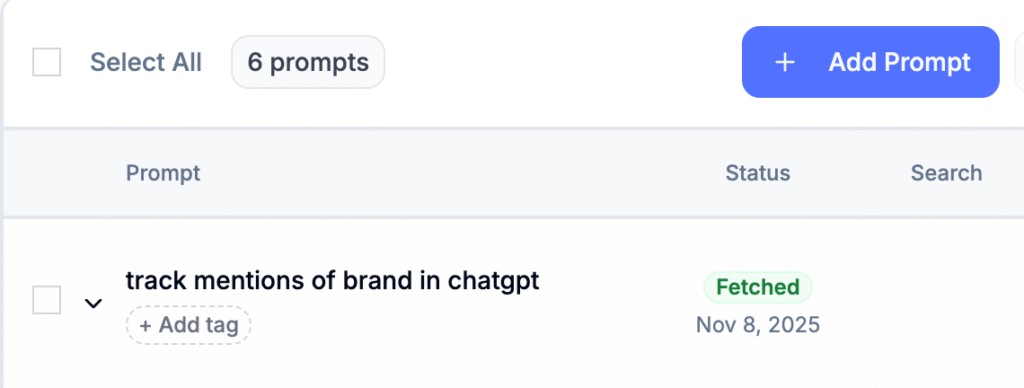
You can see:
- Brand mentions: How many times your brand or query is mentioned in the responses
- Total Citations: Total links mentioned in the response, but not your website
- Brand Citations: Total times your website has been mentioned
- Citation position: Position of your brand’s first citation
This level of insight goes beyond basic traffic metrics and helps you optimize strategically.
Try Genrank to see how your brand shows up on ChatGPT. It’s free!
4. Track conversions and engagement
Don’t just count visits. Track what ChatGPT-referred visitors do on your site:
- Do they sign up for your newsletter?
- Do they request demos or consultations?
- How long do they spend reading your content?
- Do they visit multiple pages?
Create a segment in GA4 specifically for utm_source=chatgpt so you can analyze behavior separately from other traffic sources.
What This Means for Your Marketing Strategy
Seeing ChatGPT in your analytics is a signal to adapt your content strategy.
Write for questions, not just keywords
Traditional SEO focuses on keywords like “project management software” or “email marketing tips.” But people ask ChatGPT full questions: “How do I choose project management software for a startup with a remote team?”
Structure your content to answer real questions. Use question-based headings. Create FAQ sections. Think about the natural language your audience uses when they’re genuinely seeking help.
Build authority signals
ChatGPT prioritizes authoritative sources. To increase your chances of being cited:
- Include data and statistics from reputable sources
- Add expert quotes and case studies
- Clearly establish author credentials
- Cite your sources transparently
- Update content regularly to keep it current
The stronger your authority signals, the more likely AI platforms will trust and reference your content.
Don’t abandon SEO
Here’s the thing: GEO and traditional SEO aren’t mutually exclusive. Strong SEO foundations make your content more discoverable by AI crawlers, too.
Continue your SEO efforts:
- Optimize site speed
- Build quality backlinks
- Implement schema markup
- Ensure mobile-friendliness
- Fix technical issues
These factors help both Google and ChatGPT find and trust your content.
Conduct regular GEO audits
Just as you conduct SEO audits, start doing GEO audits to assess your AI visibility:
- Check if AI crawlers can access your site (robots.txt configuration)
- Evaluate which content is citation-worthy
- Monitor brand mentions across AI platforms
- Identify content gaps competitors are filling
- Track changes in your AI visibility over time
Regular audits help you stay ahead of the curve as AI-driven discovery continues to grow.
Wrapping Up
Spotting utm_source=chatgpt in your analytics is a good start. But remember, it’s just the first step.
The next step is to consistently track this traffic properly in your analytics. Identify which content is getting cited and why. Then apply those insights to create more citation-worthy content.
You don’t need to abandon your SEO strategy. You need to expand it. The same principles that make content valuable to humans—clarity, expertise, helpfulness—also make it valuable to AI platforms.
You’re already seeing utm_source=chatgpt in your analytics. That means you’re ahead of most people. Now it’s time to turn that early signal into actual actions that help your business, whether it’s subscribing to your newsletter or buying a product or service.
FAQs about UTMs from ChatGPT
What is a UTM source?
UTM source is a tracking parameter that identifies where your website traffic originates. When added to a URL (like ?utm_source=chatgpt), it tells your analytics platform which channel, platform, or campaign drove the visit.
Does ChatGPT count as a source?
Yes, ChatGPT counts as a distinct traffic source in your analytics. When ChatGPT includes links to your website in its responses, those links often contain utm_source=chatgpt parameters. This lets you track and analyze ChatGPT-referred traffic separately from other sources.
How do I remove the source ChatGPT from a link?
To remove UTM parameters from a link, simply delete everything after the question mark in the URL. For example, change yourwebsite.com/article?utm_source=chatgpt&utm_medium=ai to just yourwebsite.com/article. However, removing these parameters means you won’t be able to track the source of that traffic in your analytics. Unless you have a specific reason to remove them, it’s better to leave UTM parameters intact.
Can you track traffic from ChatGPT?
Yes, you can track ChatGPT traffic in two ways. First, standard web analytics tools like Google Analytics show you visits with utm_source=chatgpt parameters. Second, specialized GEO tracking tools monitor how ChatGPT mentions your brand, which prompts trigger citations, and how your visibility compares to competitors. The combination gives you both traffic data and strategic insights about your AI presence.
What tools can help me track mentions in ChatGPT?
Several tools specialize in tracking brand mentions across AI platforms. GenRank focuses exclusively on ChatGPT monitoring, tracking which prompts mention your brand and how often you’re cited. Other platforms like Writesonic, SE Ranking, and Semrush have added AI visibility tracking features. These tools go beyond basic traffic analytics to show you exactly how AI platforms discuss your brand and where you can improve your AI visibility.