How to Configure Robots.txt for AI Crawlers (OpenAI, Anthropic & Google)

Key Takeaways
- Robots.txt is the first gate AI crawlers hit: misconfigure it and GPTBot or ClaudeBot simply leave.
- Reputable crawlers respect robots.txt, but it's not real security. Pair it with access controls for sensitive content.
- Review your file quarterly; crawler names and behavior change as new AI platforms launch.
When was the last time you checked your robots.txt file? If the answer is "never" or "I'm not sure we have one," you might be accidentally blocking the AI crawlers that could be citing your content in millions of conversations daily.
While most marketers obsess over keyword rankings and backlinks, few realize that this tiny text file controls whether AI platforms can even access their content. And with ChatGPT processing 2.5 billion prompts daily, being invisible to AI crawlers means missing out on a massive discovery channel.
This article covers everything you need to know about setting up robots.txt for generative AI crawlers. You’ll learn:
What is robots.txt?
What are OpenAI CrawlersOther AI crawlers you should keep in mind
How to optimize robot.txt
What is Robots.txt?
The robots.txt file is a fundamental component of website SEO and crawler management. Placed in the root directory of a website (at yoursite.com/robots.txt), it provides directives to web crawlers about which pages they can and cannot access.
Think of it as a bouncer at the entrance of your website.
When a crawler shows up, it checks your robots.txt file first. If the file says "you're not allowed in," the crawler leaves.
If it says "come on in," the crawler can access your content and potentially use it in search results or AI-generated responses.
While not all crawlers respect robots.txt, reputable ones—such as those from OpenAI, Google, and Anthropic—generally do. This makes robots.txt an effective tool for managing legitimate AI crawlers, though it shouldn't be your only security measure for truly sensitive content.
For those looking to rank in generative AI responses, configuring robots.txt correctly ensures that AI crawlers can access valuable content. On the other hand, blocking specific crawlers can prevent AI systems from using your data without your permission.
Here's a basic example:
User-agent: *
Disallow: /private/
Allow: /
This tells all crawlers (*) that they can access everything except the /private/ folder.
Read: What Does “UTM Source ChatGPT” Mean in Your Analytics?
What are OpenAI Crawlers?
OpenAI operates multiple specialized crawlers, each serving a different purpose within its AI ecosystem. Understanding these distinctions helps you make informed decisions about which ones to allow or block.
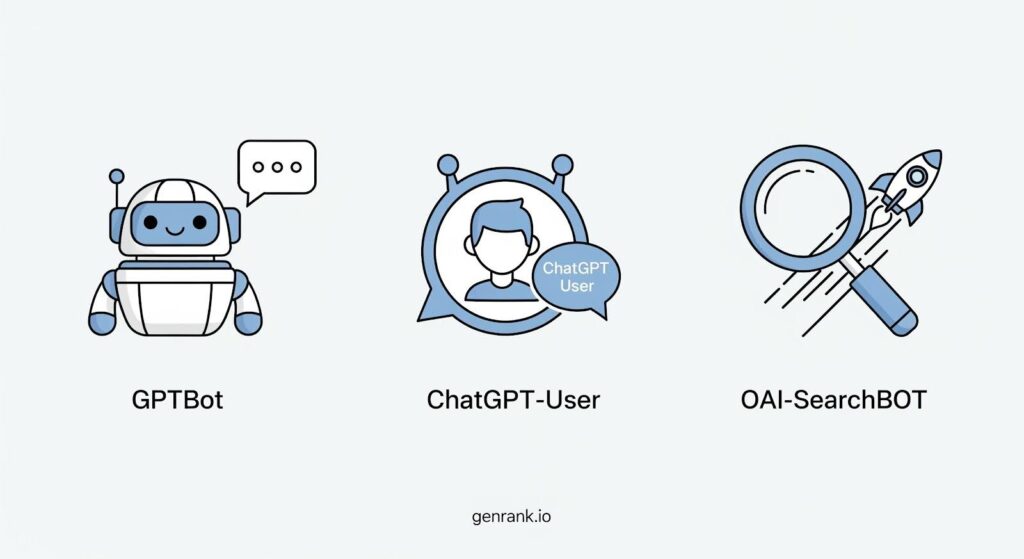
GPTBot gathers text data for ChatGPT. This is OpenAI's primary web crawler, which collects publicly available web content to train and improve ChatGPT's knowledge base.
User-agent: GPTBot
Full user-agent string: Mozilla/5.0 AppleWebKit/537.36 (KHTML, like Gecko); compatible; GPTBot/1.1; +https://openai.com/gptbot
ChatGPT-User handles user prompt interactions in ChatGPT. This crawler activates when users ask ChatGPT questions that require real-time information from the web, enabling ChatGPT's web search functionality.
User-agent: ChatGPT-User
Full user-agent string: Mozilla/5.0 AppleWebKit/537.36 (KHTML, like Gecko); compatible; ChatGPT-User/1.0; +https://openai.com/bot
OAI-SearchBot indexes online content to enhance ChatGPT's search capabilities. This crawler specifically focuses on building ChatGPT's real-time web search index, making it possible for ChatGPT to cite current sources when answering questions.
User-agent: OAI-SearchBot
Full user-agent string: Mozilla/5.0 AppleWebKit/537.36 (KHTML, like Gecko); compatible; OAI-SearchBot/1.0; +https://openai.com/searchbot
Each crawler has its own user-agent string that you can control separately in your robots.txt file, giving you granular control over how OpenAI interacts with your content.
Other AI Crawlers
OpenAI isn't the only player in the AI crawler game. Below is a list of major AI web crawlers at the time this article was written, along with their user agent strings. These crawlers are responsible for indexing and training AI models that power search engines, chatbots, and generative AI responses.
Note: Please check the respective websites for the latest updates. AI platforms change rapidly, and it’s important to stay up to date.
Anthropic
Anthropic AI Bot collects web data to train and improve Claude AI, Anthropic's conversational AI assistant.
User-agent: anthropic-ai
Full user-agent string: Mozilla/5.0 (compatible; anthropic-ai/1.0; +http://www.anthropic.com/bot.html)
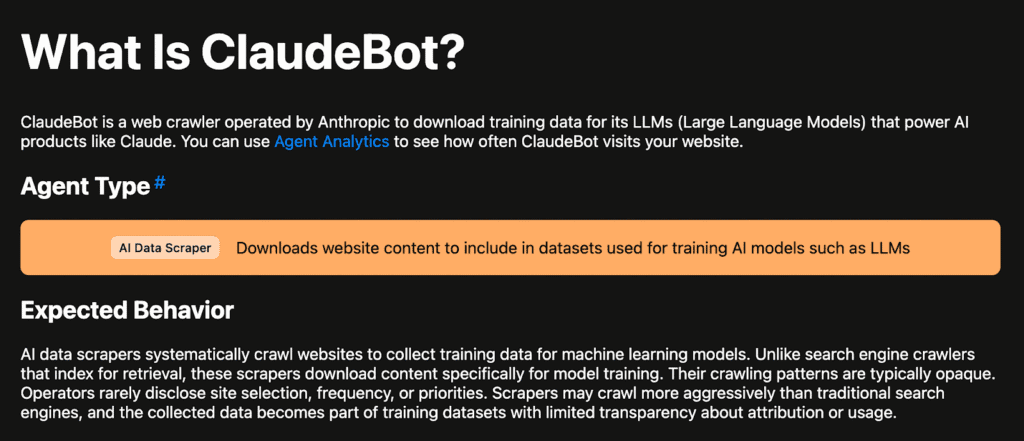
ClaudeBot retrieves web data for conversational AI, working alongside Anthropic's other crawlers to build Claude's knowledge base. The Anthropic ClaudeBot user-agent robots.txt configuration is among the most-searched queries for website owners managing AI crawler access.
User-agent: ClaudeBot
Full user-agent string: Mozilla/5.0 AppleWebKit/537.36 (KHTML, like Gecko); compatible; ClaudeBot/1.0; +claudebot@anthropic.com
Major Tech Companies
Google-Extended (Gemini AI) gathers AI training data for Google's AI models, separate from the traditional Googlebot used for search indexing. You can use Google-Extended robots.txt to control generative AI training by specifically allowing or disallowing this crawler.
User-agent: Google-Extended
Full user-agent string: Mozilla/5.0 (compatible; Google-Extended/1.0; +http://www.google.com/bot.html)
Note that it’s not actually a separate user agent, and that crawling is done with the existing Google user-agent strings; the robots.txt user-agent token is used for control purposes.
Applebot crawls webpages to improve Siri and Spotlight results, powering Apple Intelligence features across iOS and macOS.
User-agent: Applebot
Full user-agent string: Mozilla/5.0 (compatible; Applebot/1.0; +http://www.apple.com/bot.html)
BingBot indexes sites for Microsoft Bing and AI-driven services, supporting both traditional search and Bing's AI chat functionality.
User-agent: BingBot
Full user-agent string: Mozilla/5.0 (compatible; BingBot/1.0; +http://www.bing.com/bot.html)
If you’re a founder or marketer reading this article, you can talk to your web developer or dev team so that they can set this up for you. Or it might already be set up, but you just want to verify.
It’s important to go over your site’s settings to make sure that you are not blocking AI crawlers on pages that they are supposed to crawl.
Note: With SEO, you can usually get crawl reports in tools like Google Search Console. As of now, you can check your hosting's access logs to see if these bots are crawling your site.
Other AI Search Engines
PerplexityBot examines websites for Perplexity's AI-powered search engine, which has gained significant traction among researchers and professionals.
User-agent: PerplexityBot
YouBot provides AI-powered search functionality for You.com, another emerging AI search platform.
User-agent: YouBot
DuckAssistBot collects data to enhance DuckDuckGo's AI-backed answers, supporting their privacy-focused search experience.
User-agent: DuckAssistBot
Claude-web “is a crawler associated with Anthropic’s AI assistant, Claude. It accesses web content to provide up-to-date information and citations in response to user queries.”
If you're serious about generative engine optimization, understanding this full landscape of AI crawlers helps you make strategic decisions about which platforms align with your visibility goals.
Pro tip: Use a GEO tool like Genrank to monitor how your brand appears in specific prompts your customers type into ChatGPT once you optimize your robots.txt
How to Optimize Robots.txt for AI Crawlers
Most websites either completely ignore AI crawlers or block them by default. Both approaches miss the strategic opportunity. Understanding how to optimize website content for AI search crawlers starts with proper robots.txt configuration.
Here's how to configure your robots.txt to allow AI crawlers and maximize your AI visibility.
Explicitly allow AI crawlers
To enhance your website's visibility in generative AI responses, configure robots.txt to allow AI crawlers. Below is an example of an optimized robots.txt file:
# Allow OpenAI's GPTBot
# Allow Anthropic's ClaudeBot
# Allow Google's AI crawler
By explicitly allowing these crawlers, you ensure that your content is indexed for AI-driven search and conversational responses.
This configuration makes your intentions crystal clear. While allowing everything is technically the default behavior, explicit Allow directives remove any ambiguity and signal to AI systems that you want your content included in their responses.
In some cases, Cloudflare automatically blocks AI crawlers. So, you’ll have to double-check your site’s settings, as there were many changes that happened in the background that you might not know about.
Use wildcards and specific paths
If you want to allow AI crawlers only to access certain directories, use targeted directives:
This approach lets you grant access to valuable public content like blog posts and resources while protecting sensitive areas like admin panels, customer portals, or draft content.
You can also use wildcards for more complex configurations:
This allows all directories starting with "blog-" while blocking anything beginning with "private-". It's particularly useful for sites with numerous subdirectories following naming conventions.
Implement robots.txt AI crawlers configuration
Strategic robots.txt AI crawlers configuration requires balancing accessibility with protection. Consider which content adds value to AI responses and which should remain private. Your public-facing educational content, guides, and thought leadership pieces should typically be accessible, while proprietary methodologies, premium content, and internal documentation should be restricted.
Check crawl activity regularly
Use server logs or Google Search Console to monitor AI bot activity on your site. This gives you real-world data about which crawlers are actually visiting and which pages they're accessing.
You might discover that GPTBot rarely visits certain sections despite having permission, or that specific pages attract more AI crawler attention than others. This intelligence helps you refine both your robots.txt configuration and your content strategy.
For understanding how these technical configurations impact your overall AI visibility strategy, connecting the dots between robots.txt settings and actual AI citations becomes essential.
Use advanced control methods
If you need more control beyond robots.txt, implement X-Robots-Tag: noindex in your HTTP headers. This provides page-level control over indexing that works alongside your robots.txt directives.
For example, you might allow a crawler to access a page so it can read robots.txt and other pages, but prevent that specific page from being indexed using the X-Robots-Tag header.
How to Block AI Crawlers in Robots.txt
Sometimes blocking AI crawlers makes strategic sense. You might have proprietary content, competitive research, or premium resources that shouldn't train commercial AI systems. Knowing how to block AI bots in robots.txt is essential for protecting your intellectual property.
Block specific AI crawlers
If you want to prevent certain AI crawlers from indexing your content, you can disallow them in robots.txt like this:
This prevents these crawlers from accessing your site, though it's important to note that not all crawlers respect robots.txt directives.
Configure ChatGPT robots.txt settings
If you want to specifically manage ChatGPT robots.txt access, you need to block all three OpenAI crawlers:
This comprehensive approach prevents ChatGPT from both training on your content and accessing it through real-time web search.
Block all AI crawlers while allowing search engines
You can create a hybrid approach that blocks AI training while maintaining traditional search visibility:
This configuration blocks AI-specific crawlers while still allowing your site to appear in traditional Google and Bing search results.
Block AI from specific sections only
For a more nuanced approach, block AI crawlers from certain areas while allowing access to others:
This protects your premium or proprietary content from being used to train AI models while still allowing your blog posts to be cited in AI responses.
Understand the limitations
Here's the reality: robots.txt is a request, not a rule. Reputable crawlers like GPTBot and ClaudeBot respect robots.txt directives because they're operated by established companies with reputations to protect.
However, not all crawlers are created equal. Malicious bots or less scrupulous AI companies might ignore your robots.txt entirely. For truly sensitive content, don't rely solely on robots.txt. Use actual access controls like password protection, login requirements, or IP restrictions.
Best Practices for Managing AI Crawlers
Managing AI crawlers effectively requires more than just editing a text file. Here are the strategic principles and technical practices that separate successful AI optimization from wasted effort.
Regularly update your robots.txt
AI crawlers frequently change. New user-agent strings get introduced, existing crawlers update their behavior, and new AI platforms emerge regularly. Schedule quarterly reviews of your robots.txt file to ensure it reflects current best practices.
Keep a list of the AI crawlers you care about and check for updates to their user-agent strings. A crawler you blocked last year might have changed its identifier, rendering your old block ineffective.
Start with clear content goals
Before touching robots.txt, ask yourself: do I want my content cited by AI platforms? If you're building thought leadership, establishing authority, or driving organic discovery, the answer is probably yes.
If you're protecting proprietary methods or gatekeeping premium content, you might want restrictions.
Your robots.txt decisions should align with these broader content goals. Don't block crawlers just because you can. Block them when it serves your strategy.
Use wildcards and specific paths strategically
Wildcards help you manage complex directory structures efficiently. If you have multiple blog subdirectories or various content types, wildcards simplify your robots.txt configuration:
This pattern-based approach scales better than listing individual directories, especially for sites with dynamic or frequently changing structures.
Monitor and document changes
Create documentation explaining why you've configured robots.txt the way you have. Note which crawlers you allow, which you block, which directories have restrictions, and the reasoning behind each decision.
When team members change, when you work with agencies, or when you need to troubleshoot issues months later, this documentation saves countless hours of confusion.
Combine robots.txt with other optimization
Robots.txt is just one piece of your AI optimization strategy. To maximize your chances of being cited by AI platforms, you also need:
Structured data markup: Implement schema to help AI understand your content.
Clear content hierarchy: Use proper heading structures and logical organization.
Authoritative writing: Create comprehensive, well-researched content.
Consistent brand signals: Maintain accurate information across the web.
Think of robots.txt as the foundation. It gives AI crawlers permission to access your content. But getting actually cited requires creating content that AI systems consider authoritative and relevant.
If you want to understand how well your content performs in AI responses, conduct regular GEO audits that examine robots.txt alongside other optimization factors.
Test your configuration thoroughly
After updating your robots.txt file, test it from multiple angles:
Manual check: Visit yoursite.com/robots.txt to verify the file is accessible and formatted correctly.
Google Search Console: Use their robots.txt tester to catch syntax errors.
Server logs: Monitor which crawlers are actually accessing your content.
AI response testing: Use tools to check if your content appears in AI-generated responses.
This multi-layered testing catches issues that might not be obvious from just looking at the file.
Check crawl activity
Use server logs or Google Search Console to monitor AI bot activity on your site. Understanding which crawlers visit your site, how frequently, and which pages they access provides valuable intelligence for refining your strategy.
Conclusion
Configuring robots.txt for generative AI crawlers is a strategic decision for website owners looking to maximize their visibility in AI-generated responses. By allowing access to reputable AI crawlers, your content can be indexed and surfaced in AI-driven search results.
On the other hand, if you prefer to restrict certain crawlers, proper disallow directives in robots.txt can help manage how your site interacts with AI systems.
Most businesses either ignore robots.txt entirely or block AI crawlers by default without understanding the implications. Both approaches leave opportunity on the table.
We do want to note, however, that optimizing your robots.txt files is just one of the key things to do to optimize for AI platforms. As with any marketing strategy, it’s critical to take a holistic approach.
If you want to understand how your brand currently appears in ChatGPT, start tracking today. Use GenRank's free trial to monitor how ChatGPT references your brand across relevant prompts.
You might discover you're already getting mentions, or you might find you're completely invisible despite having great content and a properly configured robots.txt.
FAQs About Robots.txt and AI Crawlers
Should I protect my site from AI crawlers?
It depends on your content goals and business model. If you're building authority and want your brand cited in AI responses, allow reputable AI crawlers to access your public-facing content. If you have proprietary content, premium resources behind paywalls, or competitive research that represents your core value, block them from those specific areas.
How do AI crawlers work?
They visit websites, read the robots.txt file to understand access permissions, and then systematically crawl allowed pages. AI crawlers gather data for training models and powering real-time AI responses. Some AI crawlers, like ChatGPT-User, activate only when users ask questions that require current information, while others, like GPTBot, continuously gather training data.
Do AI bots follow the robots.txt directive?
Reputable AI companies like OpenAI, Anthropic, and Google respect robots.txt directives. They've publicly committed to honoring these standards because they operate in regulated environments with reputations to protect. However, not all AI bots are created equal. Some less scrupulous actors or malicious crawlers may ignore robots.txt entirely. This is why robots.txt works best as a way to manage legitimate AI crawlers rather than as a security measure.
Can AI crawl my site?
Yes, AI crawlers can access your site if you allow them. By default, if your robots.txt doesn't explicitly block AI crawlers, they can access your public content. However, you have complete control over this through your robots.txt configuration. Check your current settings at yoursite.com/robots.txt to see if you're allowing or blocking AI crawlers.